Minimal Syntax Highlighting for Zola
Since version 0.22.0 Zola comes with new built-in syntax highlighting based on Giallo. Giallo uses VS Code syntaxes and themes, of which many are provided out of the box.
Before the switch to Giallo by Zola, I used Boron as a color theme. Unfortunately it’s not available as built-in theme by Giallo. I like the colors quite a bit, so I decided to port it to a VS Code compatible JSON theme file.
Since I had to invest time anyway I chose to highlight less code in the spirit of:
If everything is highlighted, nothing is highlighted tonsky.me
I started by taking Vesper JSON theme file as template. Then I tried to group as much together as I could by avoiding special rules (probably it could be simplified even further) and used the colors of the origin Boron theme.
The result is a 60 line JSON file which can be used by Zola to highlight syntax in Markdown code blocks:
{
  "name": "Boron",
  "type": "dark",
  "colors": {
    "editor.background": "#151515",
    "editor.foreground": "#e8e8d3",
    "editor.selectionBackground": "#404040",
    "editorLineNumber.foreground": "#373737",
    "editorWarning.foreground": "#fad07a",
    "editorError.foreground": "#a1000d",
    "editorGutter.addedBackground": "#558f1f",
    "editorGutter.deletedBackground": "#a1000d",
    "editorGutter.modifiedBackground": "#967efb",
    "diffEditor.insertedTextBackground": "#558f1f15",
    "diffEditor.removedTextBackground": "#a1000d15",
    "editorInlayHint.foreground": "#888888",
    "sideBar.background": "#151515",
    "sideBarTitle.foreground": "#888888",
    "activityBar.background": "#151515",
    "activityBar.foreground": "#888888",
    "activityBarBadge.background": "#fad07a",
    "tab.activeBorder": "#fad07a",
    "statusBar.foreground": "#888888",
    "statusBarItem.remoteBackground": "#fad07a",
    "list.activeSelectionForeground": "#fad07a",
    "badge.background": "#fad07a",
    "button.background": "#fad07a",
    "focusBorder": "#fad07a",
    "icon.foreground": "#888888",
    "textLink.foreground": "#fad07a",
    "editorHoverWidget.background": "#1a1a1a",
    "scrollbarSlider.background": "#34343480"
  },
  "tokenColors": [
    {
      "scope": ["comment"],
      "settings": { "foreground": "#888888", "fontStyle": "italic" }
    },
    {
      "scope": ["string"],
      "settings": { "foreground": "#99ad6a" }
    },
    {
      "scope": ["constant"],
      "settings": { "foreground": "#8fbfdc" }
    },
    {
      "scope": ["entity.name.function", "support.function", "meta.function-call", "variable.function"],
      "settings": { "foreground": "#fad07a" }
    },
    {
      "scope": ["keyword", "storage", "support.type.builtin", "support.constant.builtin", "variable.language", "punctuation"],
      "settings": { "foreground": "#888888" }
    },
    {
      "scope": ["variable", "entity.name.tag", "support.class"],
      "settings": { "foreground": "#e8e8d3" }
    },
    {
      "scope": [ "source.json meta.structure.dictionary.json support.type.property-name.json" ],
      "settings": { "foreground": "#e8e8d3" }
    }
  ]
}
To use it specify the path to the JSON file in zola.toml:
[markdown.highlighting]
theme = "Boron"
extra_themes = ["boron-color-theme.json"]
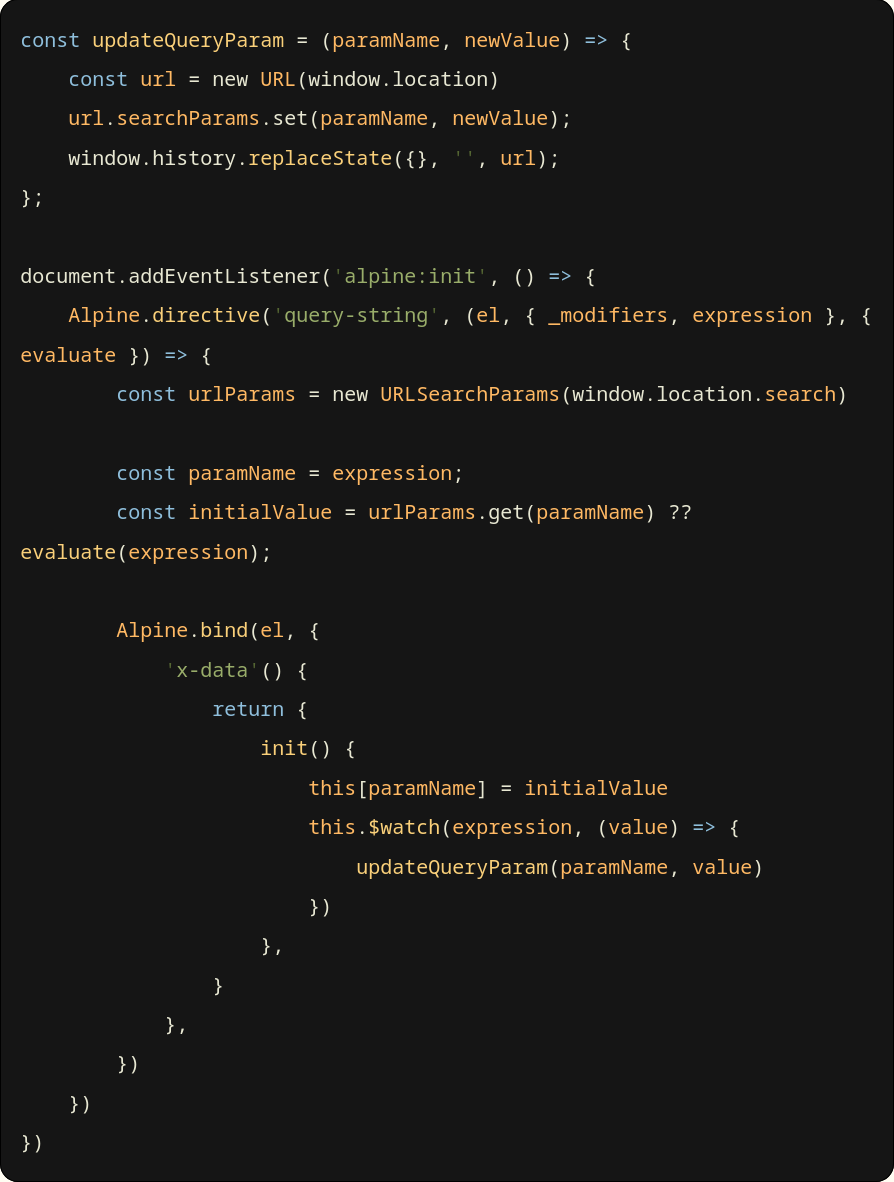
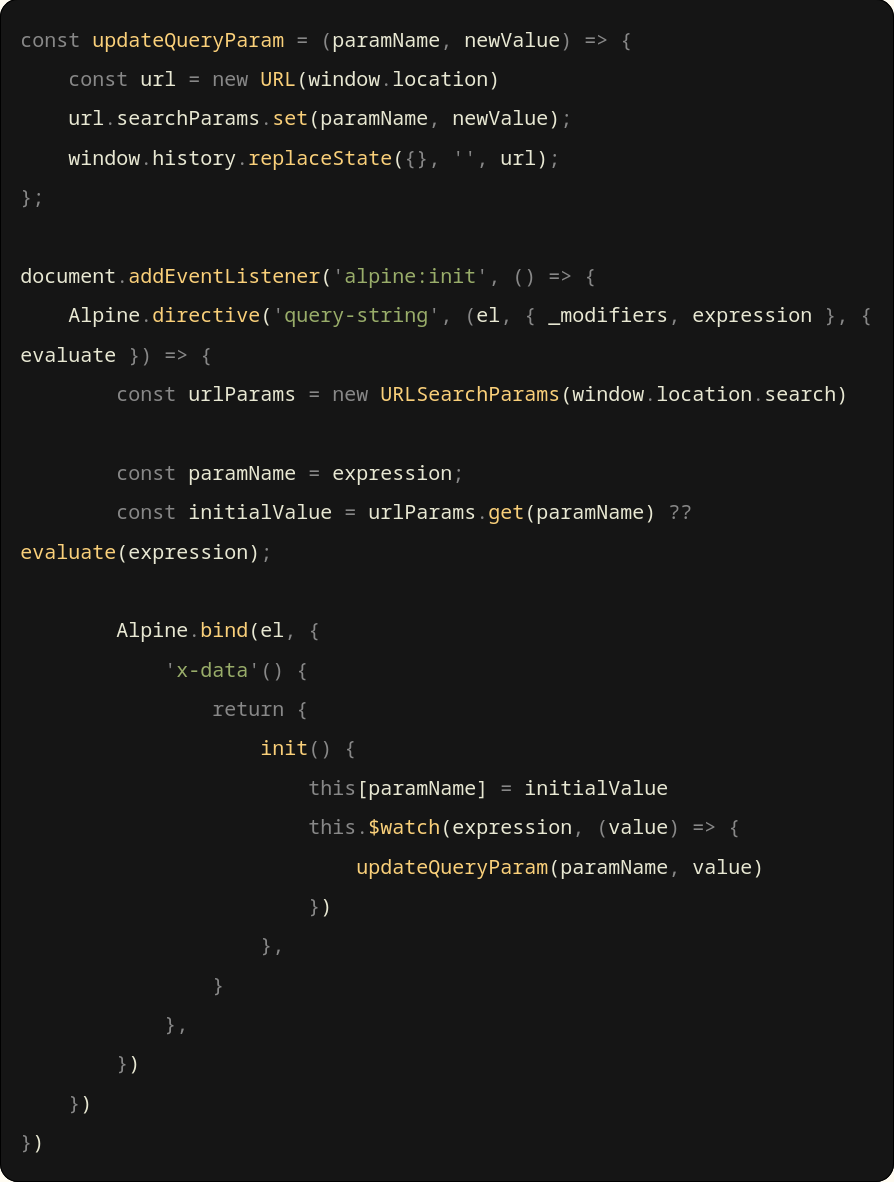
Here are two images - one before and one after the color theme change: